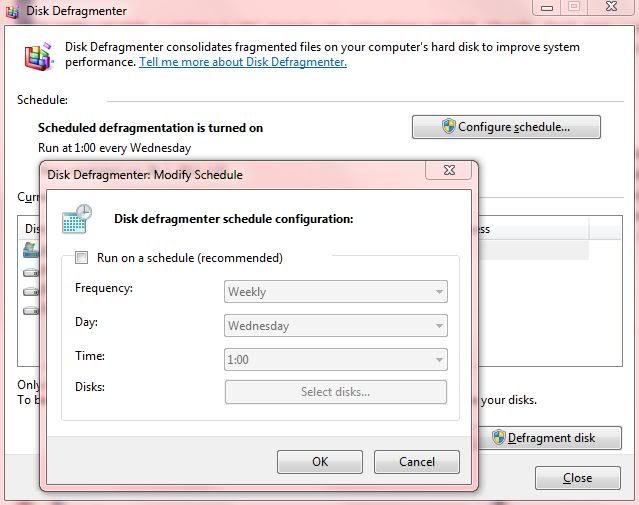
1. Turn off scheduled defragmentation
- Start > type "defrag" > click on "Defragment your hard drive"
- Click on "Schedule"
- In new window decheck "Run on a schedule"
2. Turn off file indexing
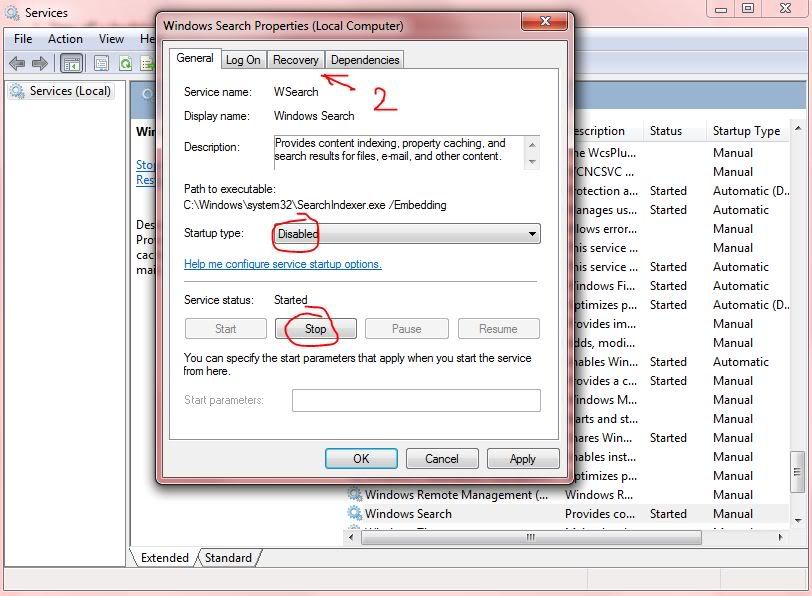
- Start > type "services.msc" > click on "services"
- Find Windows Search > double click it
- General card > set Startup type: Disabled and click Stop
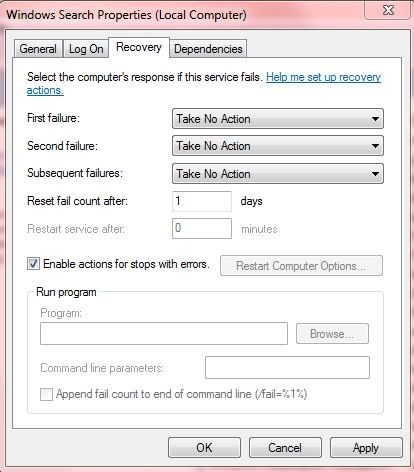
- Recovery card > set "Take No Action" on everything
3. Turn off "Program Compatibility Assistant Service":
- Start > type "services.msc" > click on "services"
- Find "Program Compatibility Assistant Service" > double click it
- General card > set Startup type: Disabled and click Stop
- Recovery card > set "Take No Action" on everything
4. Turn off Windows Defender:
- Start > type "services.msc" > click on "services"
- Find Windows Search > double click it
- General card > set Startup type: Disabled and click Stop
- Recovery card > set "Take No Action" on everything
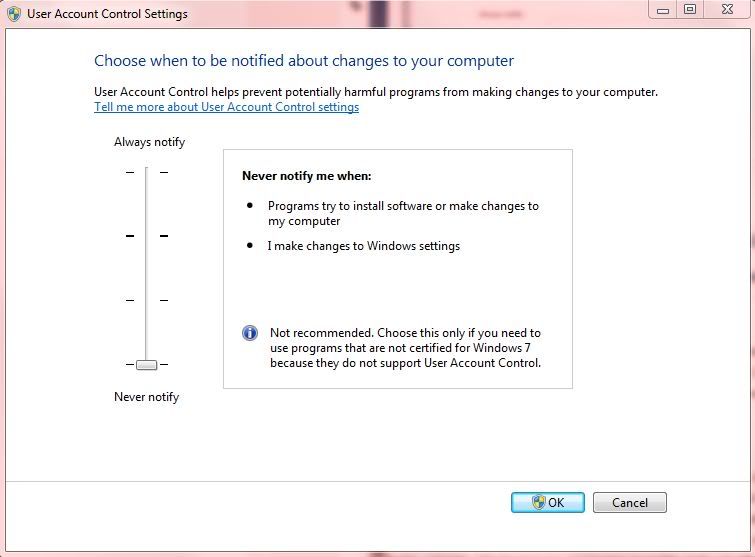
5. Turn off User Account Control:
- Start > type "uac" > click on "Change User Account Control Settings"
- Set slider to Never notify

1 comments:
Very helpful, thanks dude :)
Post a Comment